Fake Computer Warning Pop-Ups
Article Summary: A fake security warning that freezes your screen is designed to make you call a scammer before you think. This article walks through how the scam escalates from a pop-up to remote access to moving money, the five phrases that should stop you cold, and the exact steps to take if you or an employee already clicked.
Prefer to read? The full article is below, or watch our video (3:41).
Key takeaways
A frozen screen with an urgent warning number is a scam, not a real security alert.
Never call the number, approve remote access, or enter credentials from a pop-up.
Five phrases signal fraud: call now, remote access, your money isn't safe, buy gold or gift cards, keep it secret.
If someone already clicked, disconnect the device and contact IT from another device immediately.
Post your IT contact where staff can find it and require second approval on unusual payments.
You're mid-task on a Tuesday afternoon when your screen locks up. A full-page warning appears saying your computer has been compromised, your files are at risk, and you need to call a support number immediately. A countdown appears, maybe an alarm sounds, and the page won't close.
That moment of panic is the entire product. The scam isn't the pop-up — the pop-up is just bait to get you dialing a phone number while your heart rate is up and your judgment is down.
In the video above, we walk through how this scam escalates from a fake alert to remote access to real money leaving a real bank account. Here's the longer version, including what to do in the first minute, what to do if someone on your team already engaged, and the habits that make your business a harder target.
How the scam actually works
The warning usually arrives through a malicious ad, a mistyped web address, or a compromised page on an otherwise ordinary site. It's a web page, not your operating system. It's designed to look like a Windows or Mac security alert, complete with logos, scan progress bars, and technical-sounding error codes.
When you call, a person answers who sounds calm and professional. They may claim to be Microsoft support, your bank's fraud department, or even a federal agent. They'll ask you to install a remote access tool so they can "run a diagnostic" and confirm the infection.
Once they're on your screen, the story changes. Now your bank accounts are compromised, and an "investigator" needs you to protect your money by moving it — into a new account, into cryptocurrency, or in some cases into gold or cash handed to a courier who comes to your office or home. They'll insist on secrecy, telling you not to discuss it with your bank teller, your bookkeeper, or your spouse because it could compromise the investigation.
By the time anyone gets suspicious, the money is gone, and the remote access tool may still be sitting on the machine.
Why small businesses are the target
A single work laptop is a remarkably rich target. It often holds saved banking credentials, invoicing and payroll systems, customer records, email that can be used to impersonate you, and password manager access.
Small teams also move fast. They rarely have a separate security department to check with, and the owner often has direct authority over the bank account. That means one convinced person can authorize a wire without anyone else involved.
Scammers know this. They specifically look for the combination of financial authority and no second set of eyes — which describes most businesses under fifty employees, including medical practices, law firms, contractors, and professional service offices across the Bay Area.
There's also a quieter risk. Even if no money moves, a remote session gives an attacker time to plant persistent access, harvest saved passwords, or read email. Some of these incidents turn into ransomware or business email compromise weeks later.
The five phrases that should stop you cold
You don't need to be technical to spot this scam. You need to recognize the script. Any one of these is a warning sign; together they're a confession.
"Call this number now." Legitimate security software on your computer doesn't display phone numbers and ask you to dial. Neither does your operating system, your bank, or any government agency.
"Give us remote access." Nobody legitimate calls you out of the blue and asks to control your screen. Remote access should only ever happen in a session you initiated with a provider you already work with.
"Your money isn't safe." This is the pivot from a computer problem to a money problem. It's how a fake tech support call becomes a financial crime.
"Buy gold or gift cards." No bank, agency, or IT company will ever ask you to convert funds into gold, gift cards, or cryptocurrency. Ever.
"Keep this secret." Secrecy protects the scammer, not you. Any instruction to hide a transaction from your bank, your staff, or your family is the tell.
Say these out loud in a team meeting. People who have heard the script once are far more likely to recognize it when it happens to them.
What to do in the first 60 seconds
The goal here is simple: don't interact, and get a second opinion from a channel you trust.
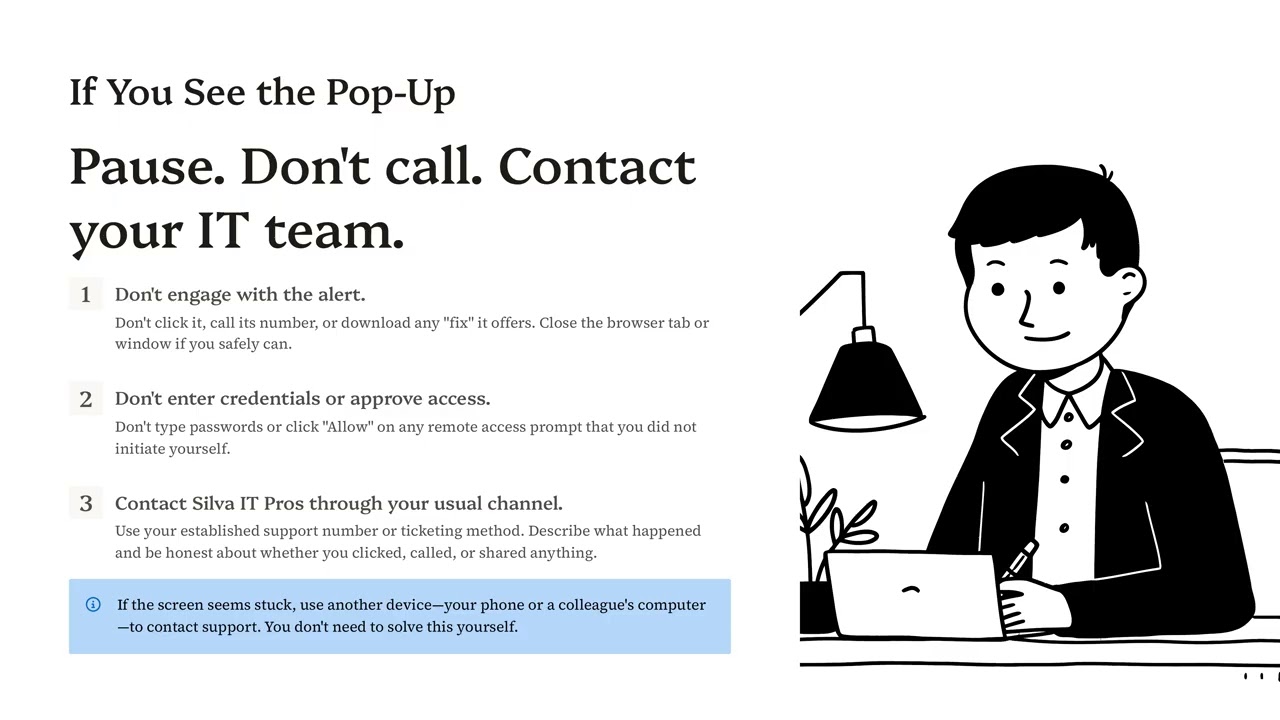
Don't engage with the alert. Don't click it, don't call the number, and don't download any "fix" it offers. Close the browser tab or window if you can do so safely.
Don't enter credentials or approve access. Don't type a password and don't click "Allow" on any remote access prompt you did not start yourself.
If the screen seems stuck, close the browser completely. On Windows, Ctrl+Shift+Esc opens Task Manager so you can end the browser process. On a Mac, Command+Option+Escape lets you force quit. If that fails, power the device off.
Contact your IT team through your usual channel. Use the support number or ticketing method you already have on file — not a number on the screen. Describe exactly what happened and be honest about whether you clicked, called, or shared anything.
Use another device if you need to. Your phone or a colleague's computer works fine. You don't need to solve this yourself, and you don't need the affected machine to ask for help.
Honesty matters more than people expect. Response steps are completely different depending on whether someone simply saw the pop-up or actually granted remote control, and nobody should feel embarrassed about which one it was.
If you already clicked, called, or gave access
Speed limits the damage. Work through these in order.
Stop interacting with the caller. Hang up. Don't explain, don't argue, and don't call back to "confirm" anything.
Disconnect the device from the network. Unplug the network cable or turn off Wi-Fi. This cuts an active remote session and limits movement to other systems.
Contact your IT provider from a different device. The affected machine may still be under someone else's control, so don't use it to report the incident.
Call your bank's fraud line if any money or account details were shared. Use the number on the back of your card or your bank's official website, not a number the caller provided. Reporting quickly materially improves your odds of recovery.
Change passwords from a clean device. Prioritize email, banking, payroll, and your password manager. Enable multifactor authentication anywhere it isn't already on.
Have the machine properly examined. Remote tools and credential-stealing software can persist. A reboot is not a remediation.
Also tell your team what happened. A quick, blame-free heads-up means the next person who sees the same pop-up recognizes it instantly.
Three habits that make your business harder to scam
Post your IT contact where everyone can see it. A sticker on each monitor or a card by the phone with your real support number removes the uncertainty scammers exploit. When the on-screen number is the only number in sight, people call it.
Require a second approval for unusual payments and banking changes. Any wire above a set threshold, any new vendor bank detail, any urgent request to move funds — two people, verified by voice on a known number. This single control stops most of these losses at the last step.
Talk about scams as a team, routinely. Share real examples in staff meetings. Praise people who report false alarms. The businesses that get hurt aren't the ones with careless employees; they're the ones where an employee was too embarrassed to speak up for three days.
Verify independently, always. Hang up, look up the real number yourself, and call back. That one habit defeats nearly every version of this scam.
Frequently asked questions
Is the pop-up itself a virus?
Usually not. In most cases, it's just a malicious web page designed to look like a system alert, and closing the browser resolves it. The real damage happens only if you call the number, download something, or grant remote access.
Will Microsoft, Apple, or my bank ever call me about a virus?
No. These companies do not monitor individual computers for infections and do not place unsolicited calls or display phone numbers in warning screens. Any call or pop-up claiming otherwise is fraudulent.
What if the scammer already knows my name and company details?
That information is easy to find through public records, your website, social media, and past data breaches. Knowing details about you proves nothing about who they are. Treat it as part of the act, not as evidence of legitimacy.
Should I report it if nothing bad happened?
Yes. Near-miss reports help your IT provider spot patterns, block the sites involved, and warn the rest of your team. Reporting should feel routine, not like an admission of failure.
Can my IT provider stop these pop-ups from appearing at all?
Largely, yes. DNS filtering, ad blocking, browser hardening, and endpoint protection block the majority of these pages before they load. No filter is perfect, which is why the human habit of pausing and verifying still matters.
Where Silva IT Pros comes in
Most of these incidents are preventable with a combination of technical controls and a team that knows exactly who to call. We help Bay Area small businesses put both in place: web and DNS filtering to block the fake alert pages, endpoint protection and monitoring to catch what slips through, multifactor authentication on email and banking, and a clear, posted response path so nobody has to improvise during the scary minute.
If you're not sure whether your business would catch this scam today, find out before a scammer tests it for you. Call 650-292-0850 or visit silvaitpros.com.
This article accompanies the Silva IT Pros video "Fake Computer Warning".
AI-assisted content disclosure: This article was created with support from AI tools. Final judgment, recommendations, and editorial flavor remain with Silva IT Pros, Inc.
